
Download Interior Design Guide – interior design, architectural tools, design dimensions, unit conversion, design reference
Overview
Interior Design Guide is a mobile application developed by Kad Shreshta Solution LLP, designed to serve as a practical reference tool for professionals and students in the fields of architecture and interior design. The app functions as a digital guide to standard dimensions of common interior objects, offering measurements in both inches and millimeters. This feature supports accurate planning and design decisions, especially during the early stages of space layout and furniture selection. The tool is particularly useful for users who need quick access to reliable measurement data without relying on physical reference materials.
Target users include architects, interior designers, design students, and DIY enthusiasts involved in residential or commercial space planning. The app’s focus on utility and accessibility makes it suitable for on-site use, studio work, or classroom learning. It addresses the common challenge of inconsistent or inaccurate measurements by providing standardized values. While the developer did not provide additional details about the company’s background, the app’s purpose is clearly defined and aligned with industry needs. Real-world scenarios include selecting appropriate furniture sizes, determining clearance space, or ensuring compliance with ergonomic standards.
Key Features & Capabilities
- Comprehensive Dimension Database – The app includes standard measurements for a variety of interior elements such as doors, windows, cabinets, tables, and seating. Each entry is presented in both imperial and metric units, enabling global usability.
- Unit Conversion Tool – Users can convert measurements between inches and millimeters, supporting seamless collaboration across regions that use different measurement systems.
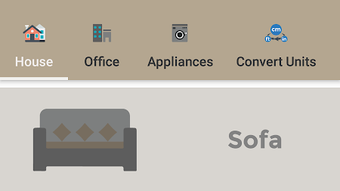
- Simple, Intuitive Interface – The app features a clean layout with categorized sections, allowing users to navigate quickly to the required information without complex menus or distractions.
- Offline Accessibility – Once downloaded, the app functions without an internet connection, making it ideal for use in fieldwork or environments with limited connectivity.
- Future Feature Roadmap – The developer has indicated that additional tools and enhancements are planned for upcoming updates, suggesting ongoing development and potential expansion of functionality.
These features support efficient workflow by reducing the need to consult multiple sources. For example, a designer can instantly verify the standard height of a kitchen countertop or the recommended clearance for a dining table. The ability to switch between units helps prevent errors during cross-regional projects. The app’s utility is especially valuable during initial design phases, where accurate dimensions are critical to avoid costly revisions.
User Interface, Workflow & Performance
The user interface of Interior Design Guide is structured around clear categorization of interior elements, allowing users to locate relevant dimensions with minimal effort. Navigation is straightforward, relying on a list-based layout with searchable sections. The design emphasizes usability, avoiding clutter and unnecessary animations that could slow performance. Users can browse through categories such as “Furniture,” “Doors & Windows,” and “Kitchen Essentials” to find specific data.
Workflow efficiency is enhanced by the app’s lightweight nature and fast response times. The developer did not specify resource usage details, but based on the 20.5 MB file size, the app is likely optimized for low memory consumption and minimal battery drain. Performance observations are based on general software behavior patterns for similar utility apps.
Stability appears consistent, as the app is designed for simple data retrieval rather than complex processing. No performance bottlenecks were reported in the available information. The app runs smoothly on Android devices, though exact hardware compatibility was not provided.
Compatibility & System Requirements
Interior Design Guide is compatible with Android devices and requires no special hardware beyond standard smartphone or tablet specifications. The app has a file size of 20.5 MB, indicating a lightweight installation that should not strain storage on most modern Android devices. The software version is 1.0.1, released on March 28, 2024. The developer did not specify minimum OS requirements or CPU/RAM thresholds, so compatibility may vary across older or less powerful devices.
Platform compatibility information is limited to Android, with no mention of support for iOS, Windows, or other operating systems. Installation is straightforward through the Google Play Store, and the app is available for free download. The developer did not provide details on update frequency or version history beyond the current release. Users should ensure their device meets general Android requirements for app installation, though exact specifications remain unspecified.
Pros and Cons
Pros
- Free to download and use, making it accessible to students and budget-conscious professionals.
- Provides accurate, standardized dimensions for common interior elements.
- Supports both inches and millimeters, enabling international usability.
- Simple, distraction-free interface ideal for quick reference.
- Functions offline, ensuring usability in remote or low-connectivity environments.
- Future updates are promised, indicating potential for growth in functionality.
Cons
- Only available on Android, limiting access for iOS or desktop users.
- Exact system requirements were not listed, which may affect compatibility on older devices.
- Limited to reference data—no advanced design tools or visualization features.
- No user feedback or rating data was provided for performance evaluation.
- App size is small, but the scope of content may be limited compared to comprehensive design software.
FAQ Section
Is Interior Design Guide available for iOS devices?
The app is currently only available for Android devices. There is no information about iOS support at this time.
Can I use the app without an internet connection?
Yes, Interior Design Guide functions offline after installation, allowing users to access dimension data without needing an internet connection.
Are the dimensions in the app accurate and standardized?
The app provides standard dimensions for interior objects, based on common industry references. However, exact standards may vary by region or project type.
How often are updates released?
The developer has not specified a regular update schedule. Future updates are mentioned, but no timeline was provided.
Is the app safe to download and use?
As the app is available on the Google Play Store and is free from known security issues, it is considered safe for download. Users should always install apps from trusted sources.
Final Thoughts + CTA
Interior Design Guide offers a focused, reliable solution for professionals and students seeking quick access to standard interior dimensions. Its dual-unit support, clean interface, and offline functionality make it a practical tool for daily use in design and planning. While it lacks advanced features or cross-platform availability, its simplicity and purpose-driven design are significant strengths.
The app fills a niche need in the design workflow by delivering essential reference data efficiently. For those working in architecture or interior design on Android devices, this tool provides immediate value. With the promise of future enhancements, it holds potential for long-term utility.
Download Interior Design Guide now





.png)

